Live Dashboards
Tabbed dashboards with overview stat cards, status breakdowns, overdue alerts, and lazy-loaded entity tabs. Real-time data from your Notion workspace.
Build a secure portal for your team and external users on top of any Notion database. Add dashboards, AI analysis, Calendar sync, email sharing, PDF export, and role-based access. Use the free desktop app, self-host, or let us host it for you.
Demo credentials: demo-admin / admin (admin) or demo / demo (user)
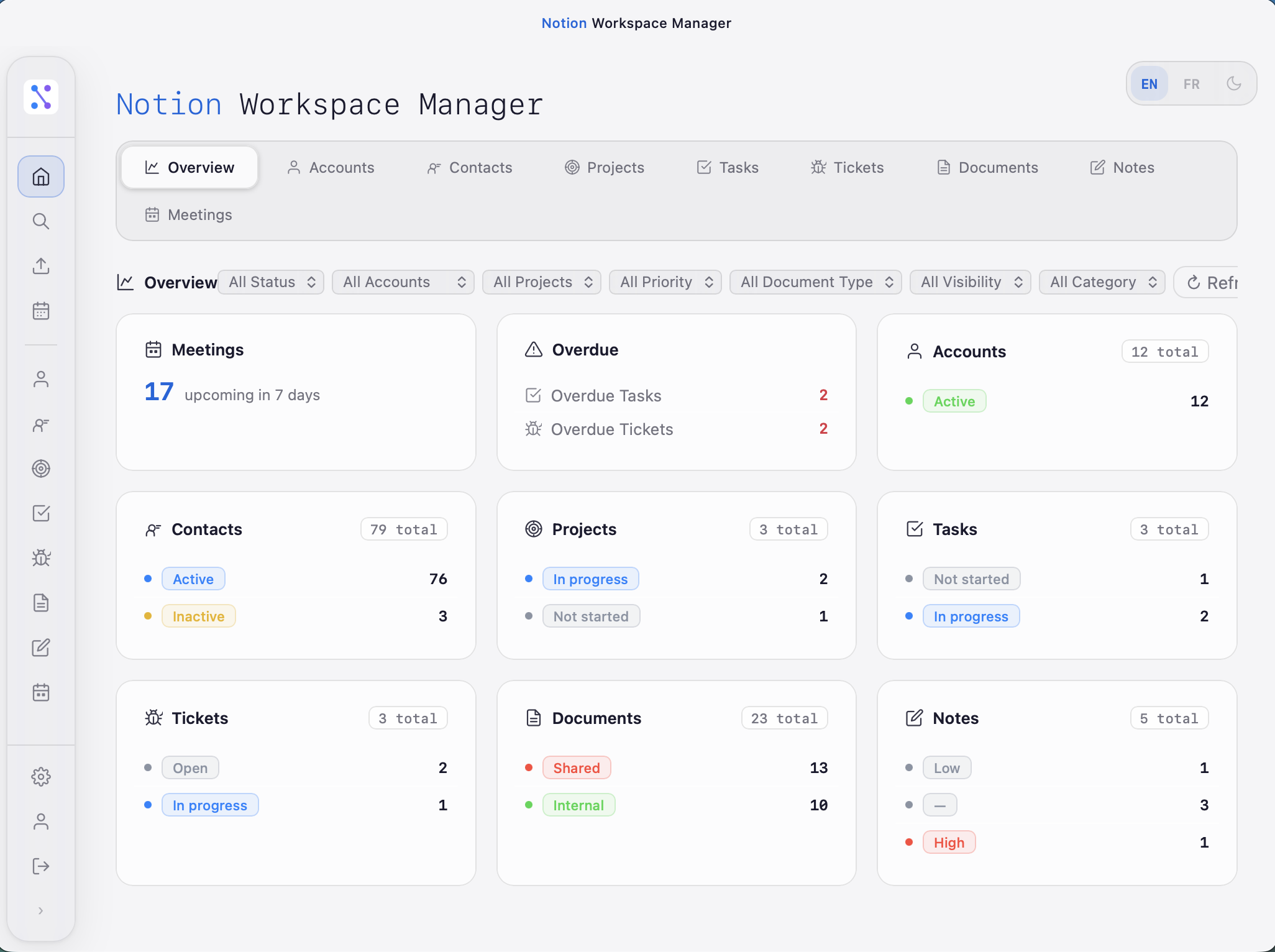
This example shows a CRM-style workspace with Accounts, Contacts, Projects, Tasks, and more — but Notion Workspace works with any Notion database.
You define the structure in Notion — we bring it to life.
A powerful portal built on the Notion API — for your team and your external users. Every feature connects directly to your existing Notion databases, whatever they are.
Tabbed dashboards with overview stat cards, status breakdowns, overdue alerts, and lazy-loaded entity tabs. Real-time data from your Notion workspace.
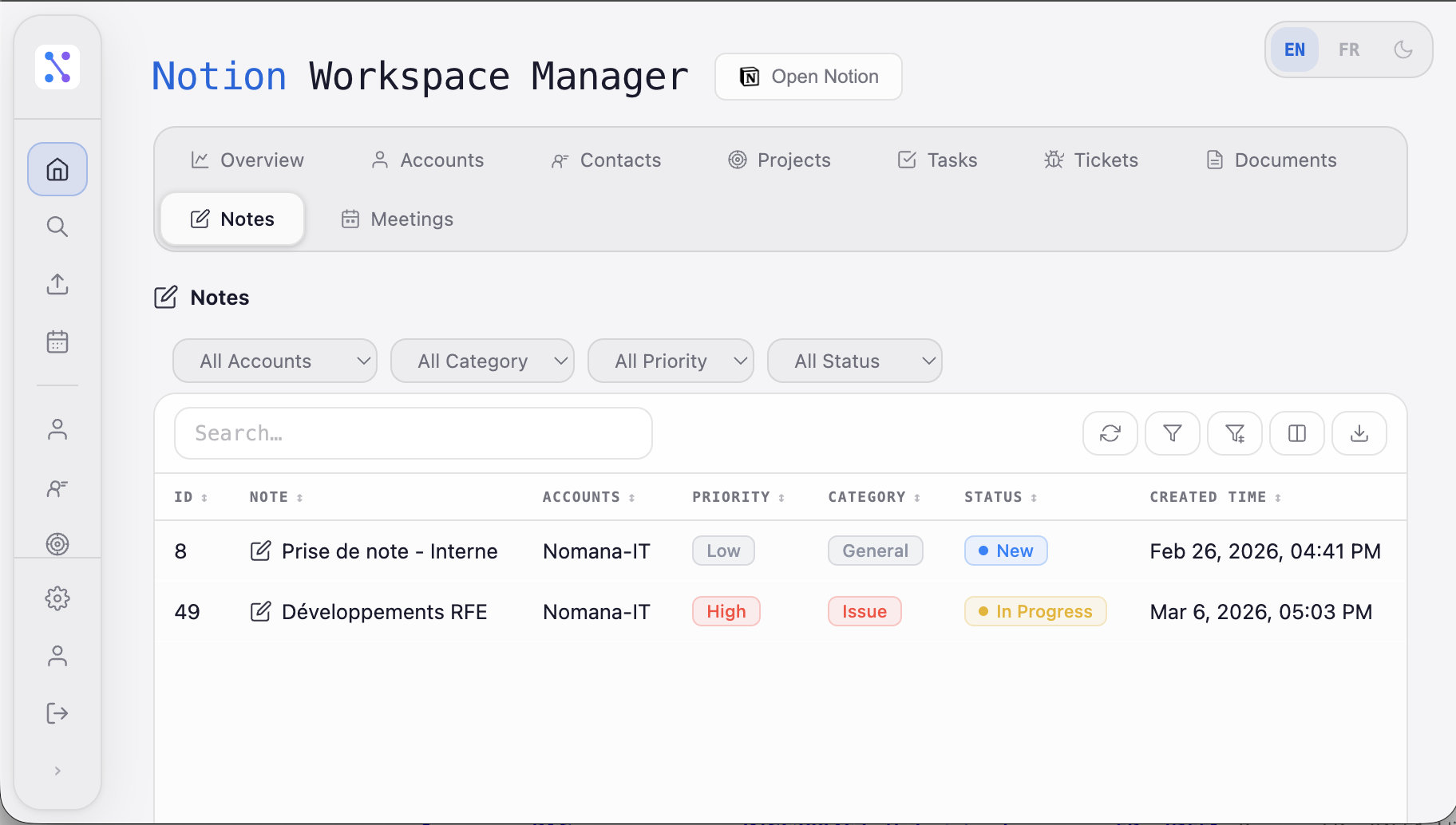
Virtualized tables with inline edit mode, batch save/discard, add new pages, copy/paste rows, and Excel import. Plus full-text search, per-column filters, multi-sort, CSV/Excel export, and cross-entity navigation.
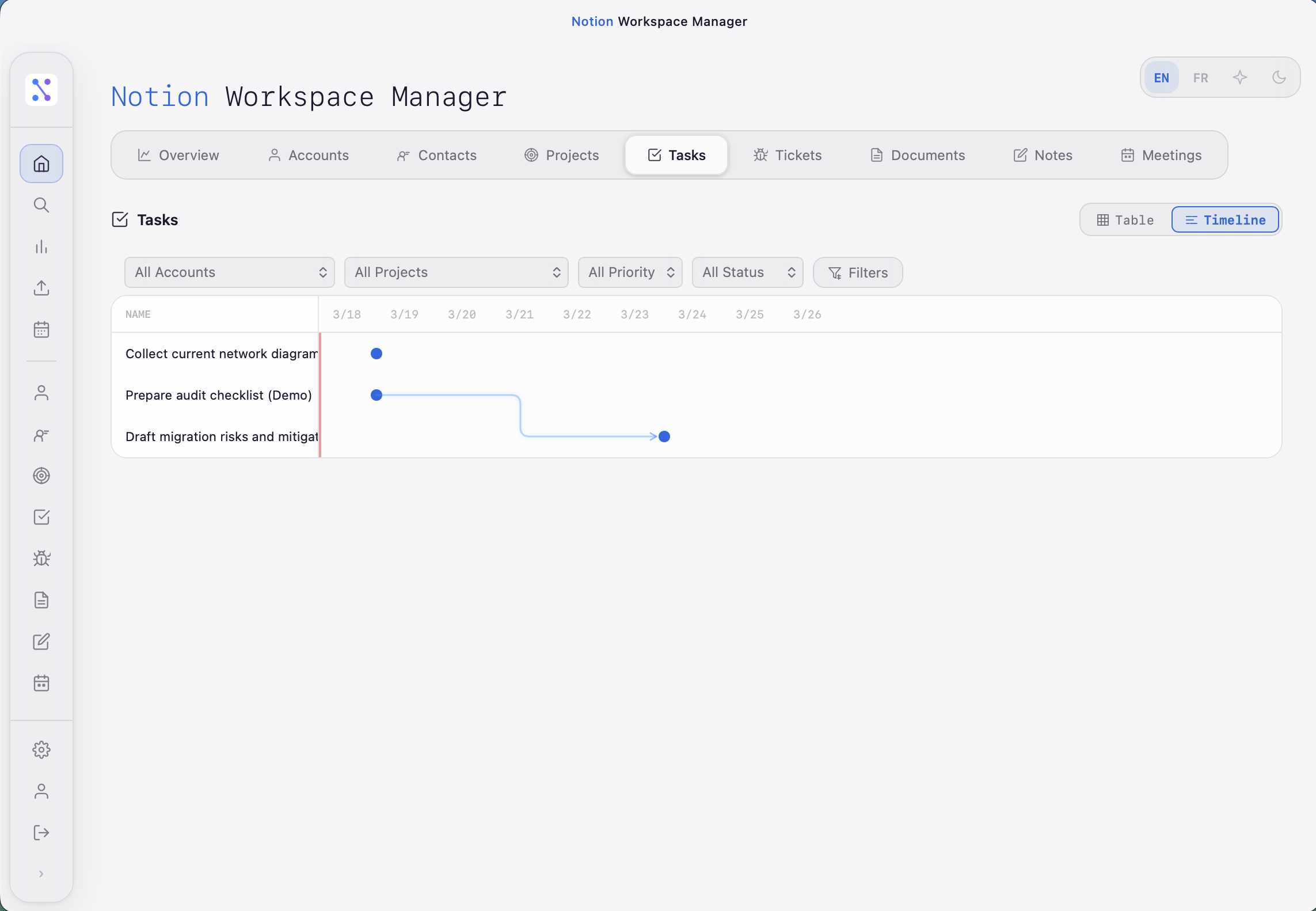
Switch between 12 view types: Table, Board, Timeline, Calendar, Gallery, Explorer, Dashboard, and 6 chart types (Bar, Horizontal Bar, Line, Pie, Gauge, Number). Each view is fully configurable per database.
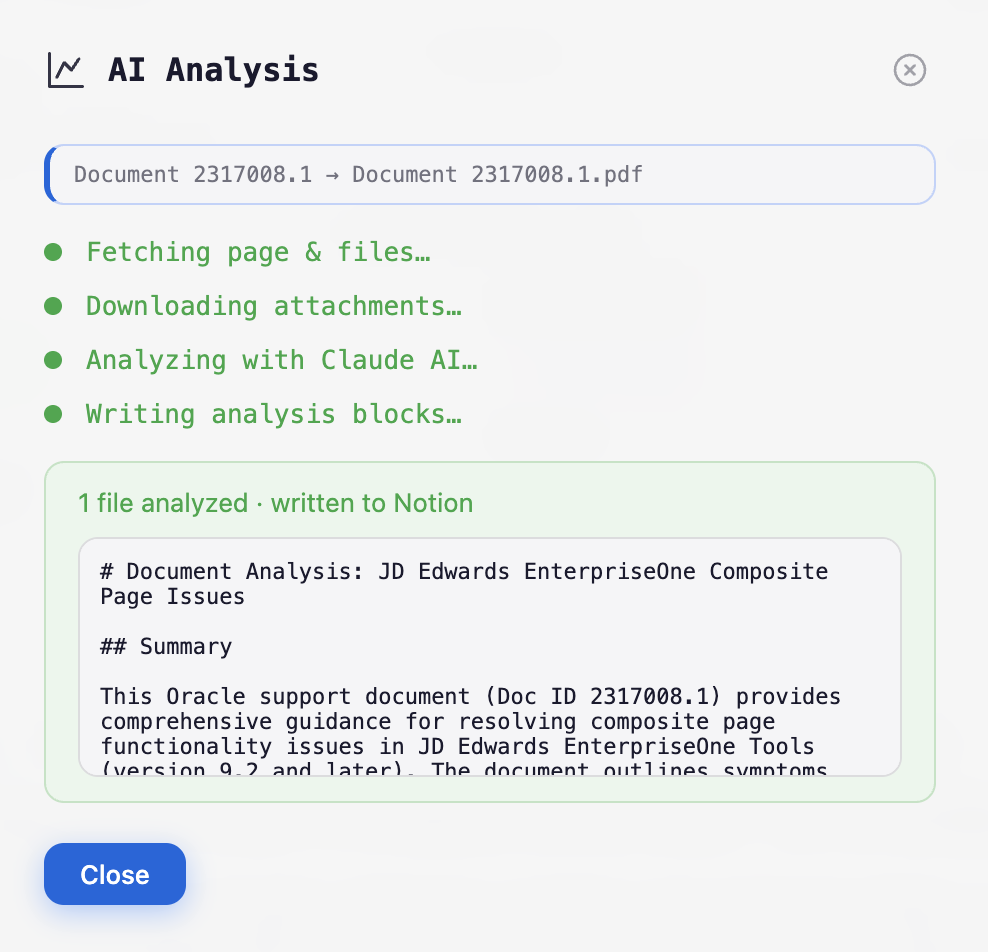
Upload PDFs or images, and Claude AI analyzes them — writing structured notes, summaries, and insights directly back to your Notion pages.
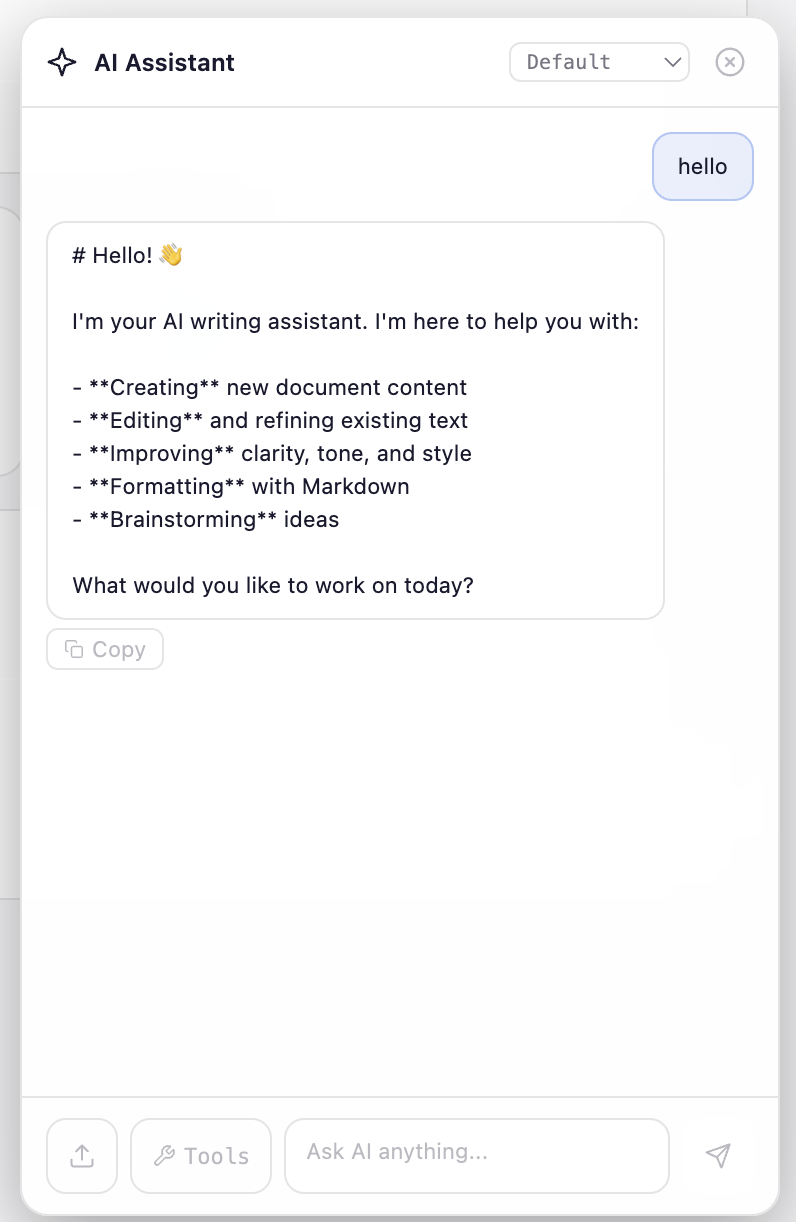
Built-in AI chat assistant for creating, editing, and brainstorming content. Improve clarity, tone, and style with conversational AI — directly inside your workspace.
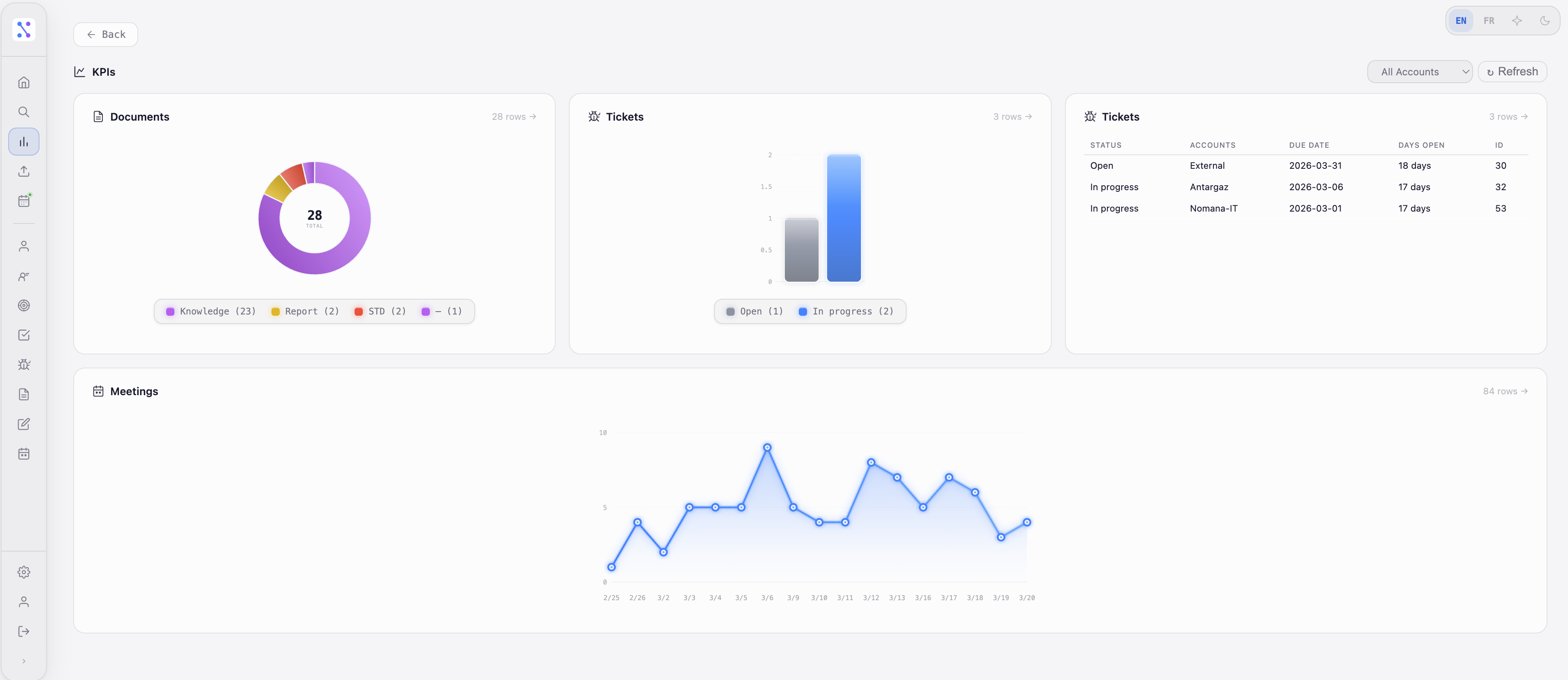
Compose dashboards from multiple chart widgets — bar, horizontal bar, line, pie, gauge, and number cards. Track any metric from your Notion databases in real time.
Hierarchical tree view based on any properties — group by up to three levels (e.g. Account → Project → Type). Configurable tree width, item counts, and default sorting.
Two-way sync between Google Calendar and Notion Meetings. Auto-creates contacts, links attendees, and streams progress via SSE.
Share any page as a beautifully formatted email with attachments. Search recipients from your contacts database or workspace users.
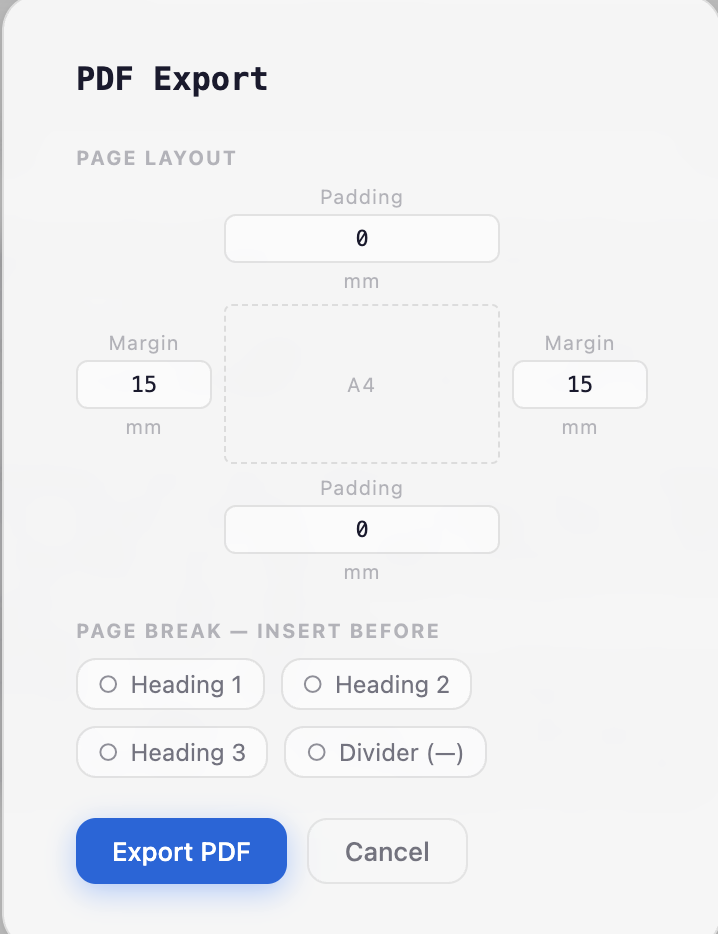
Export any page to a print-ready PDF with configurable margins, running headers, page numbers, and automatic page breaks on headings and dividers.
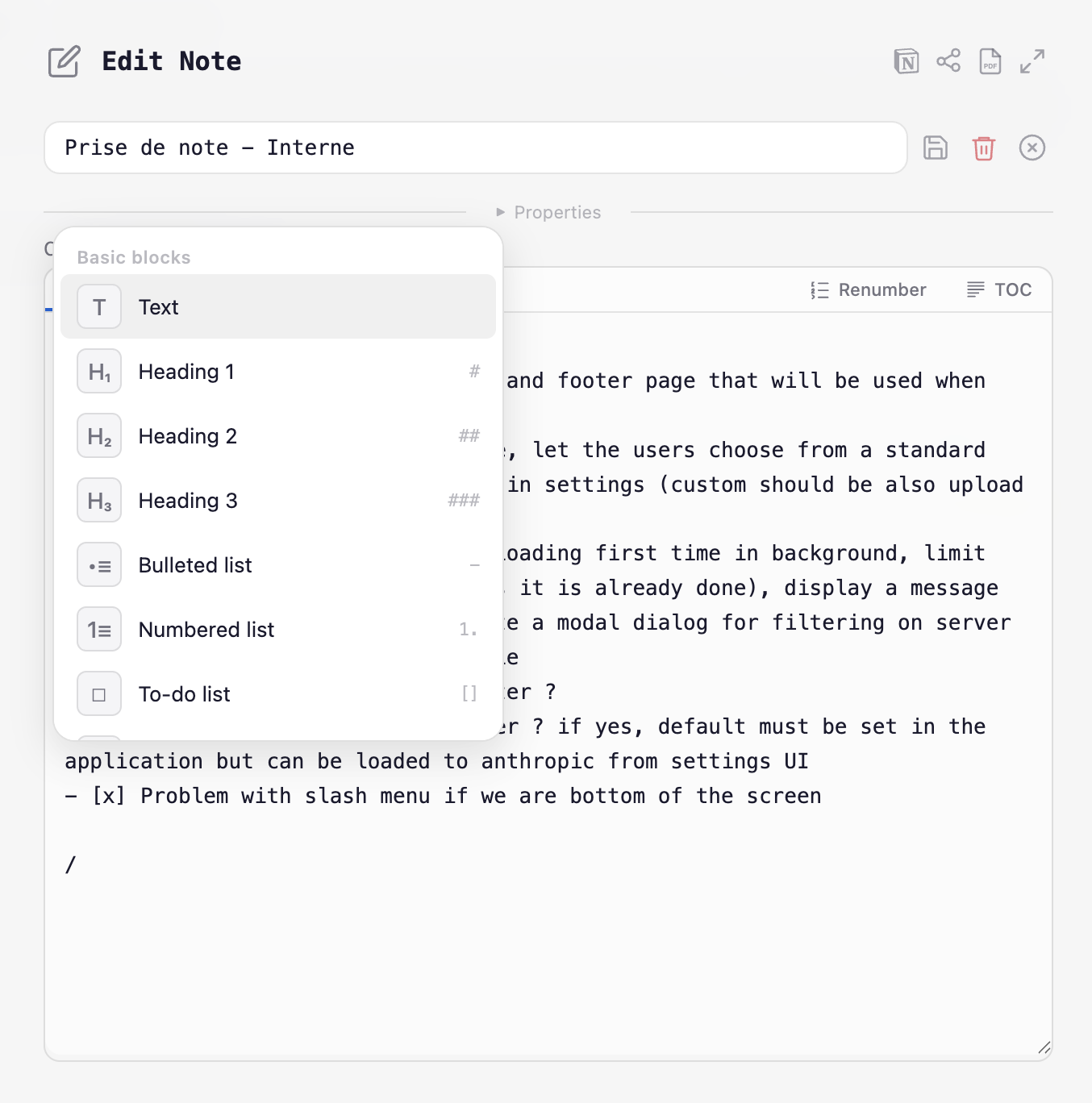
Full-featured editor with Notion-flavored syntax, slash commands (16 block types), live preview, mermaid diagrams, math blocks, and table of contents.
Index all your Notion documents for instant semantic search. Find content across your entire workspace in milliseconds.
Secure portal for internal teams and external users. JWT authentication, configurable roles, per-database permissions, and data filters that scope records to specific accounts.
11-tab settings UI with hot-reload. Theme customization, database management, connection settings, and icon gallery — no restart needed.
English and French included, with more languages easily added. AI-powered automatic translation for Notion property labels. Per-user language toggle with instant switching.
Expose your Notion workspace as MCP (Model Context Protocol) tools. Connect Claude, Cursor, or any AI assistant to query and update your data through standardized tool interfaces.
Connect to PostgreSQL or Oracle databases alongside Notion. Configure connections with host, port, schema, and credentials — query external data with the same views and features as Notion entities.
Real screenshots from the application. What you see is what you get.
Virtualized tables with inline edit mode — modify cells directly in the grid, add new pages, copy/paste rows, and import from Excel. Batch save or discard changes. Full-text search, per-column filters, multi-sort, and CSV/Excel export included.
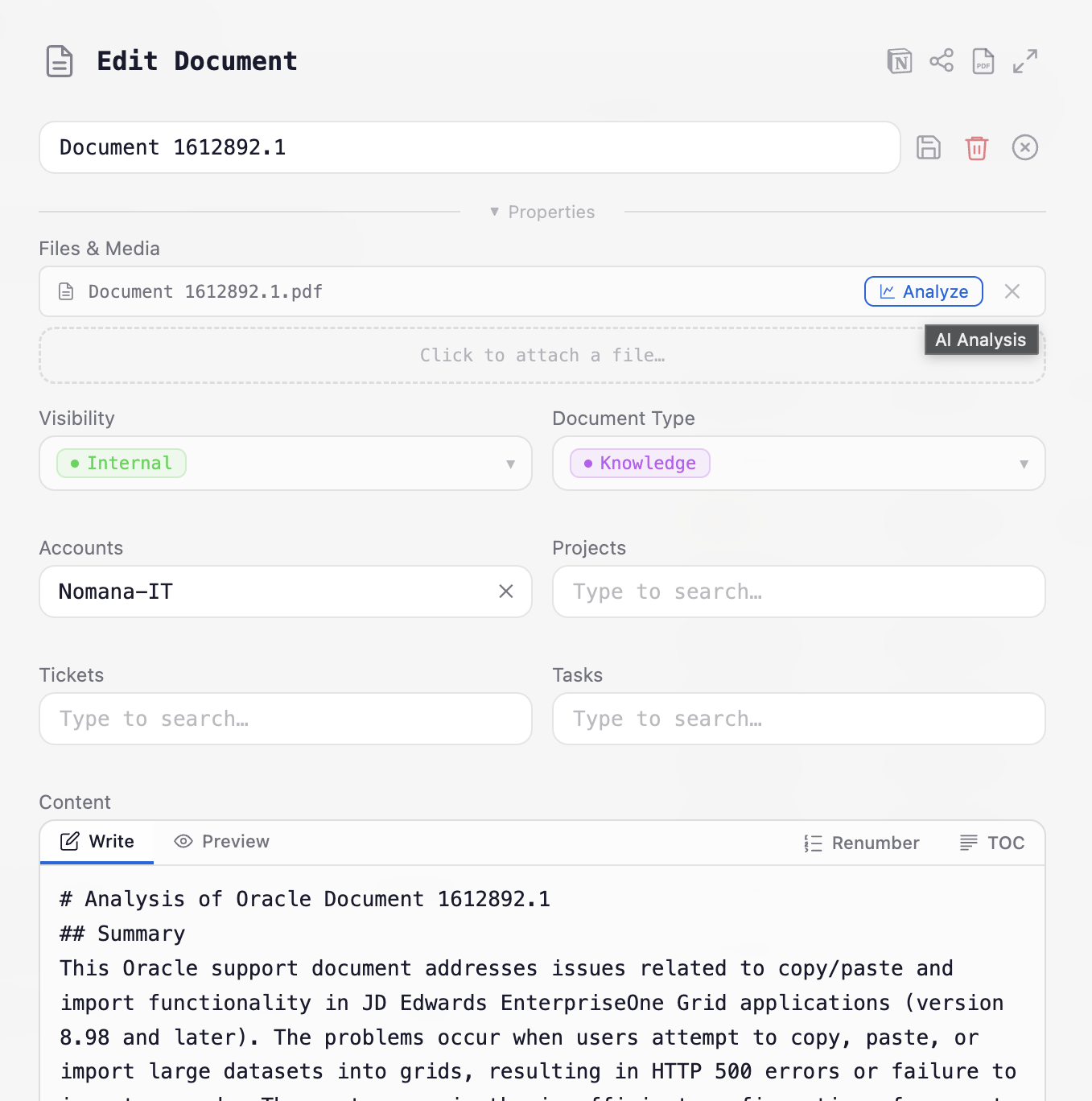
All record editing is handled by a single dynamic modal driven entirely by your Notion database schema. No hardcoded forms — it works with any database you connect. Supports file uploads, relation search, and AI analysis triggers.
Full-featured editor with write/preview tabs, Notion-flavored syntax, slash commands with 16 block types, mermaid diagrams, math blocks, and table of contents.
Upload PDFs or images, and Claude AI analyzes them — writing structured notes, summaries, and insights directly back to your Notion pages. Choose your model and customize prompts.
Built-in AI chat assistant for creating, editing, and brainstorming content. Improve clarity, tone, and formatting with conversational AI — directly inside your workspace.
Compose dashboards from multiple chart widgets — bar, horizontal bar, line, pie, gauge, and number cards. Track any metric from your Notion databases in real time.
Gantt-style timeline view for any entity with date properties. Filter by account, project, priority, or status. Visualize schedules, durations, and deadlines at a glance.
Hierarchical tree view that groups records by up to three levels of any property — e.g. Account → Project → Type. Configurable tree width, item counts, sorting, and visible columns.
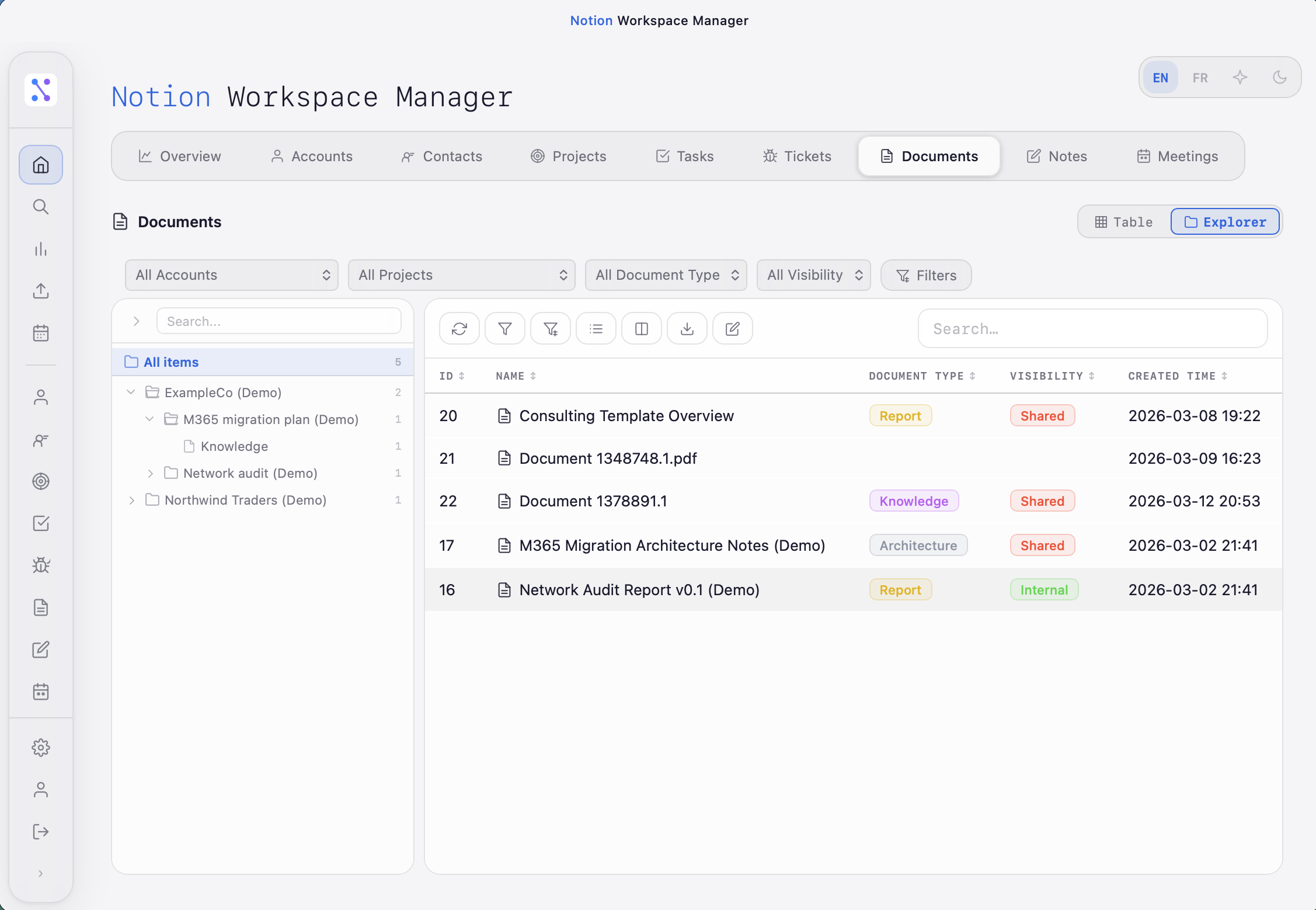
Sync events from Google Calendar to your Notion Meetings database. Auto-creates contacts, links attendees and organizers, with real-time progress streaming.
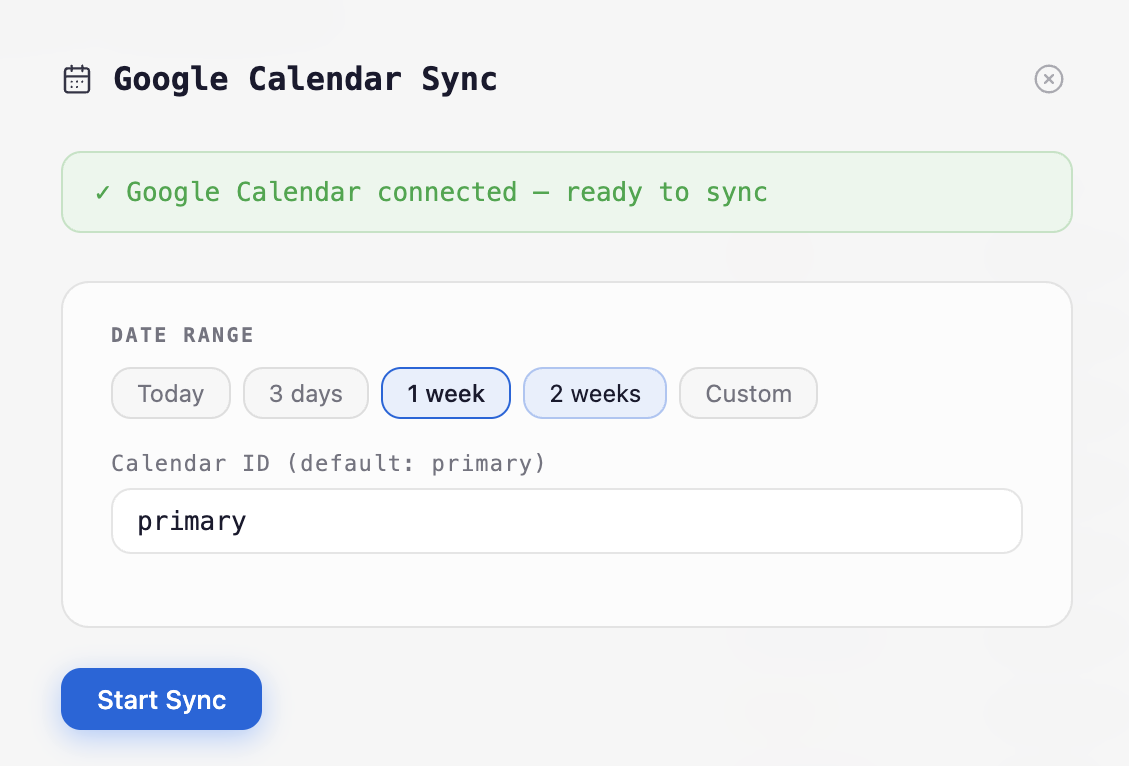
Share any page as a beautifully formatted email with attachments. Export to print-ready PDFs with configurable margins, page breaks on headings and dividers, and running headers.
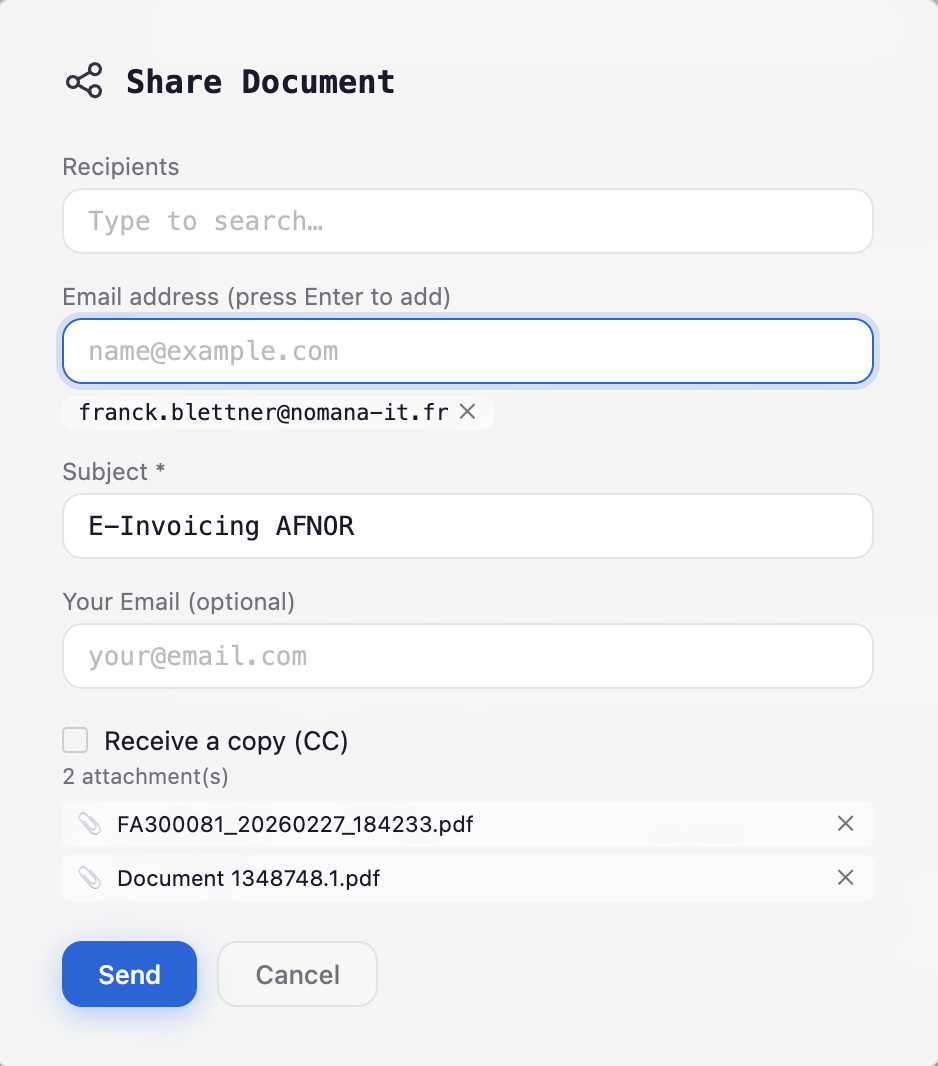
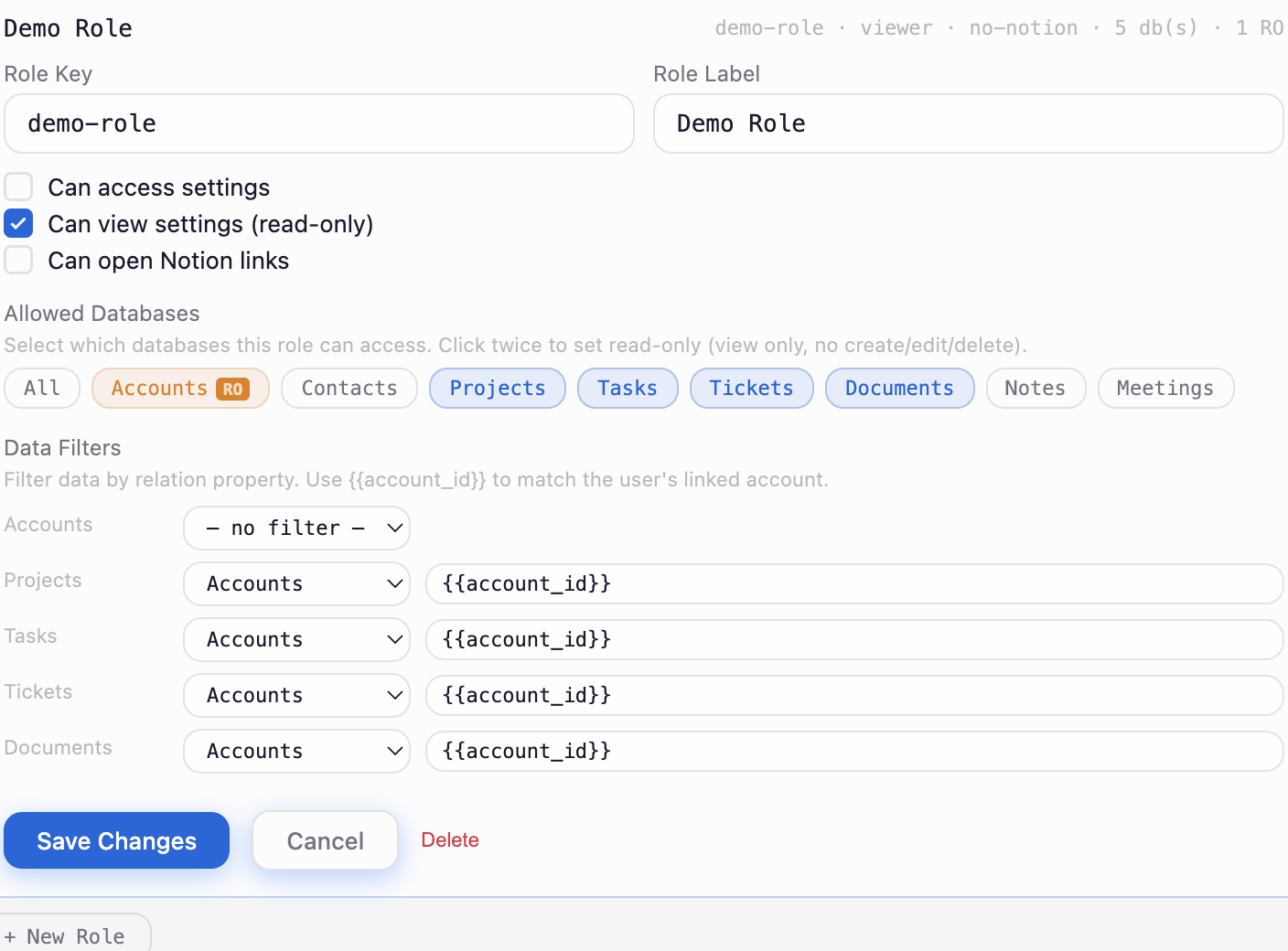
Secure portal for internal teams and external users. Define custom roles with per-database permissions, read-only access, and data filters that scope records to specific accounts.
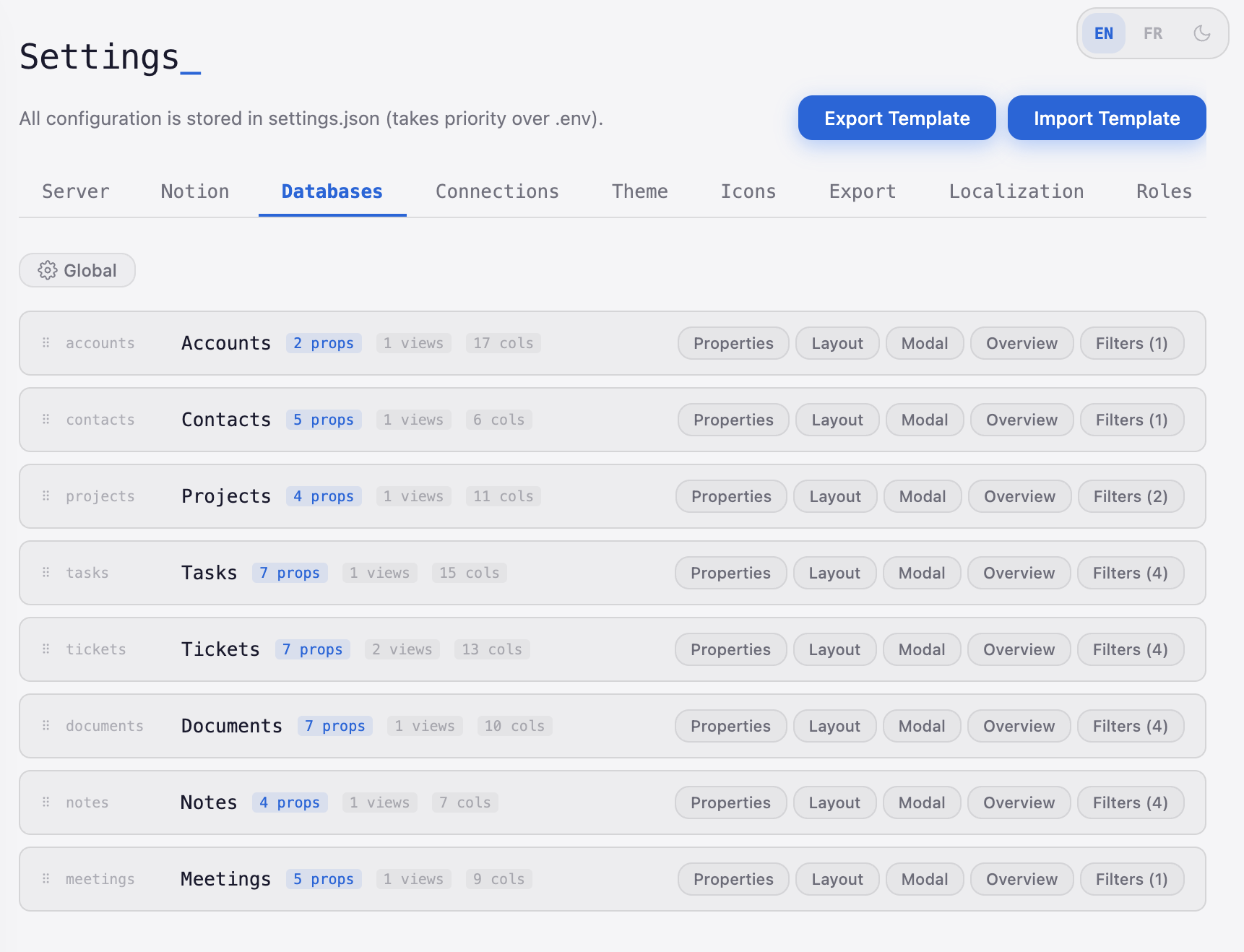
Multi-tab settings UI with hot-reload — no server restart needed. Configure properties, layouts, views, and filters per database. Export and import templates to deploy on any machine.
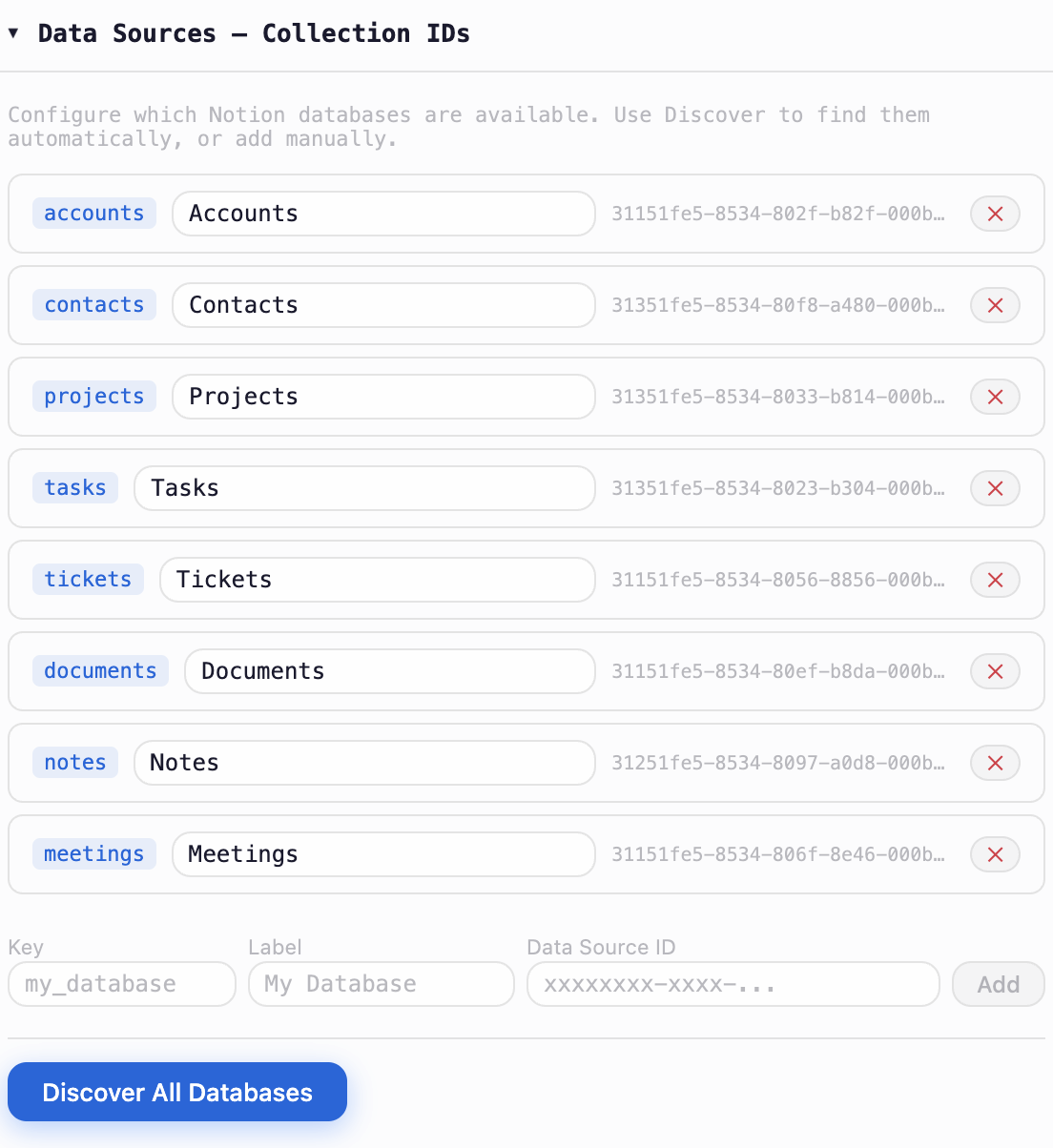
One click to discover all Notion databases shared with your integration. No manual configuration needed — databases are detected and registered automatically with their IDs and labels.
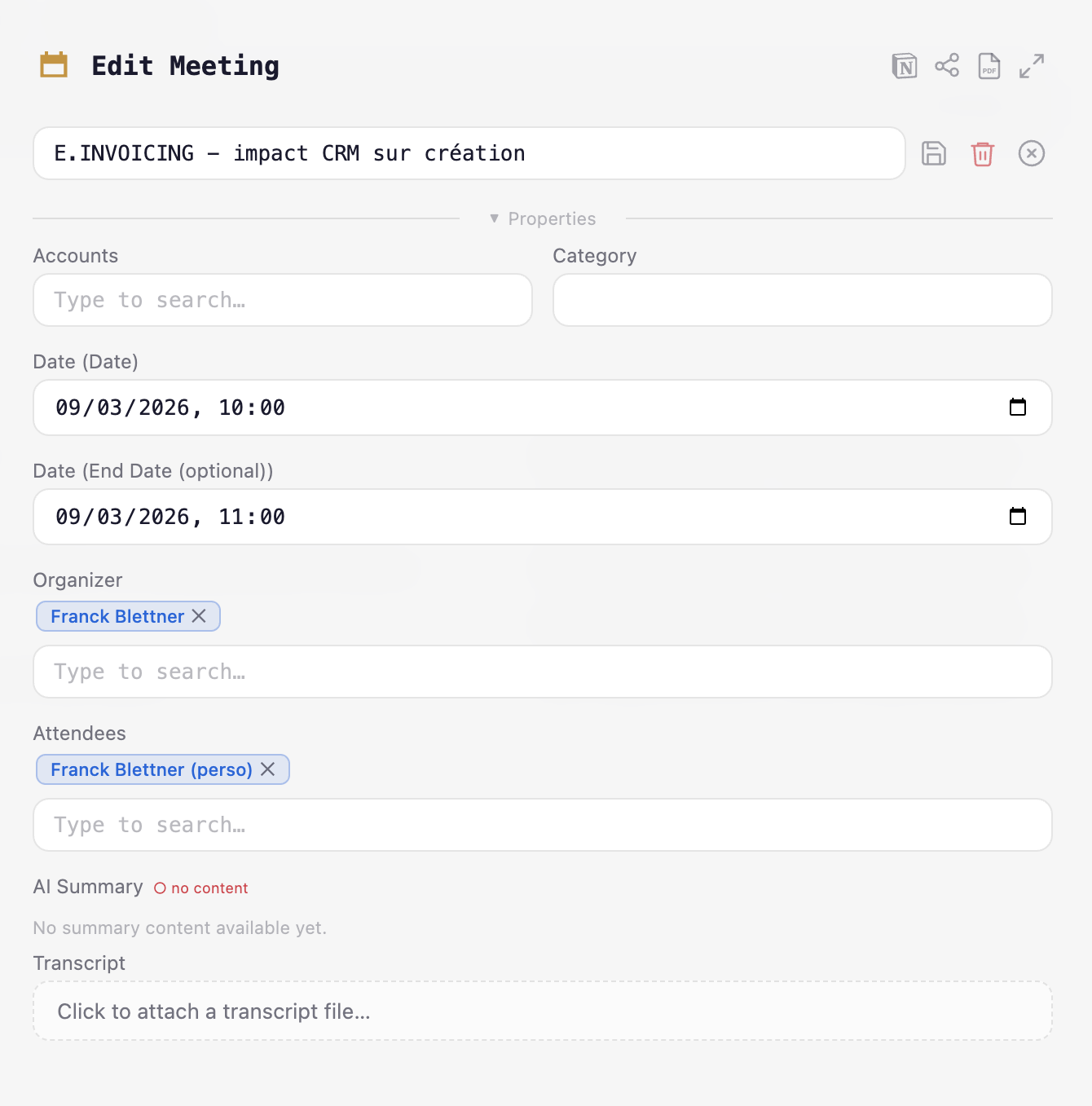
Edit meetings synced from Google Calendar with organizer and attendee relations. Attach transcripts for AI-powered structured note generation. Re-analyze existing transcripts at any time.
Notion Workspace connects directly to the Notion API to read and write your data. Your workspace stays the single source of truth.
Notion Workspace connects via the official Notion API and works with Free, Plus, Business, and Enterprise plans.
Advanced API features like full property access, automations, and larger rate limits are available on Notion Business and Enterprise plans.
All settings and configurations are stored as Notion databases. No external config files — manage everything from Notion itself.
Database views (filters, sorts, layouts) created in Notion are not accessible via the API. Notion Workspace provides its own view system to work around this limitation.
Comprehensive documentation for all capabilities. From getting started to advanced configuration.
The fastest way to get started — download the desktop app and run it with no installation required. Export and import settings to easily deploy on other machines or share with external users.
For Plus subscribers, deploy on your own infrastructure in under 2 minutes via Docker or Python, or use our shared hosted instance.
The server runs at http://localhost:8200 with interactive API docs at /docs (Swagger) and /redoc (ReDoc).
A comprehensive API organized into 10 modules. Interactive Swagger UI and ReDoc documentation available at runtime.
JWT-based auth with bcrypt password hashing, login, user info, and status checks.
/api/auth/login Authenticate and receive JWT token /api/auth/me Get current user info /api/auth/status Check authentication status Aggregated statistics, overview card configuration, and upcoming meetings.
/api/dashboard Aggregated stats for overview cards /api/overview/config Overview card configuration /api/home Upcoming meetings for day range Universal entity operations — schema, listing, record detail, create/update, and file management.
/api/generic/schema Property schema for a data source /api/generic/list List rows for any entity /api/generic/save Create or update a page /api/generic/upload-file Upload file to a page Notion URL resolution, page content retrieval, and page management.
/api/notion-urls Configured Notion URLs and link mode /api/page-info Validate and extract info from Notion URL /api/page-content Get Markdown content of a page Claude AI-powered document analysis, upload, and meeting transcript processing.
/api/documents/create Upload file + create page + AI analysis /api/documents/analyze AI analysis on existing page files /api/meetings/transcript Upload transcript for AI processing /api/meetings/ai-summary Generate AI meeting summary Conversational AI writing assistant for creating, editing, and improving content.
/api/ai/chat Send message to AI assistant /api/ai/chat/stream Stream AI response (SSE) OAuth2 flow, connection status, and calendar event sync with SSE streaming.
/api/gcal/status Connection status /api/gcal/auth Start Google OAuth flow /api/gcal/sync/stream Sync events (SSE stream) Full-text document indexing with semantic search and SSE progress streaming.
/api/index-status Document index statistics /api/index-search Semantic search over documents /api/index-documents/stream Index documents (SSE) Email sharing with attachments and PDF export with configurable layout.
/api/share/email Send content by email /api/export/pdf Export content as PDF Read/write settings with hot-reload, database discovery, and AI model defaults.
/api/settings Read settings (sensitive fields masked) /api/settings Save settings with hot-reload /api/settings/discover Auto-discover Notion databases Start free with the Community edition. Upgrade when you need hosting, AI, and integrations.
Use the desktop app or self-host with Docker/Python. Export and import settings to deploy on any machine.
We host it for you on a shared instance. Integrations, access control, and up to 10 external users.
Everything in Plus with dedicated hosting, unlimited users, AI, MCP, SQL data sources, and priority support.
All plans connect to the Notion API — your data stays in Notion. Cancel anytime. No vendor lock-in.
Every component is chosen for performance, developer experience, and long-term maintainability.
Start free with the desktop app, self-host, or let us handle the infrastructure. Your Notion data stays in Notion — we just make it more powerful.
Demo credentials: demo-admin / admin (admin) or demo / demo (user)